01
Developed live
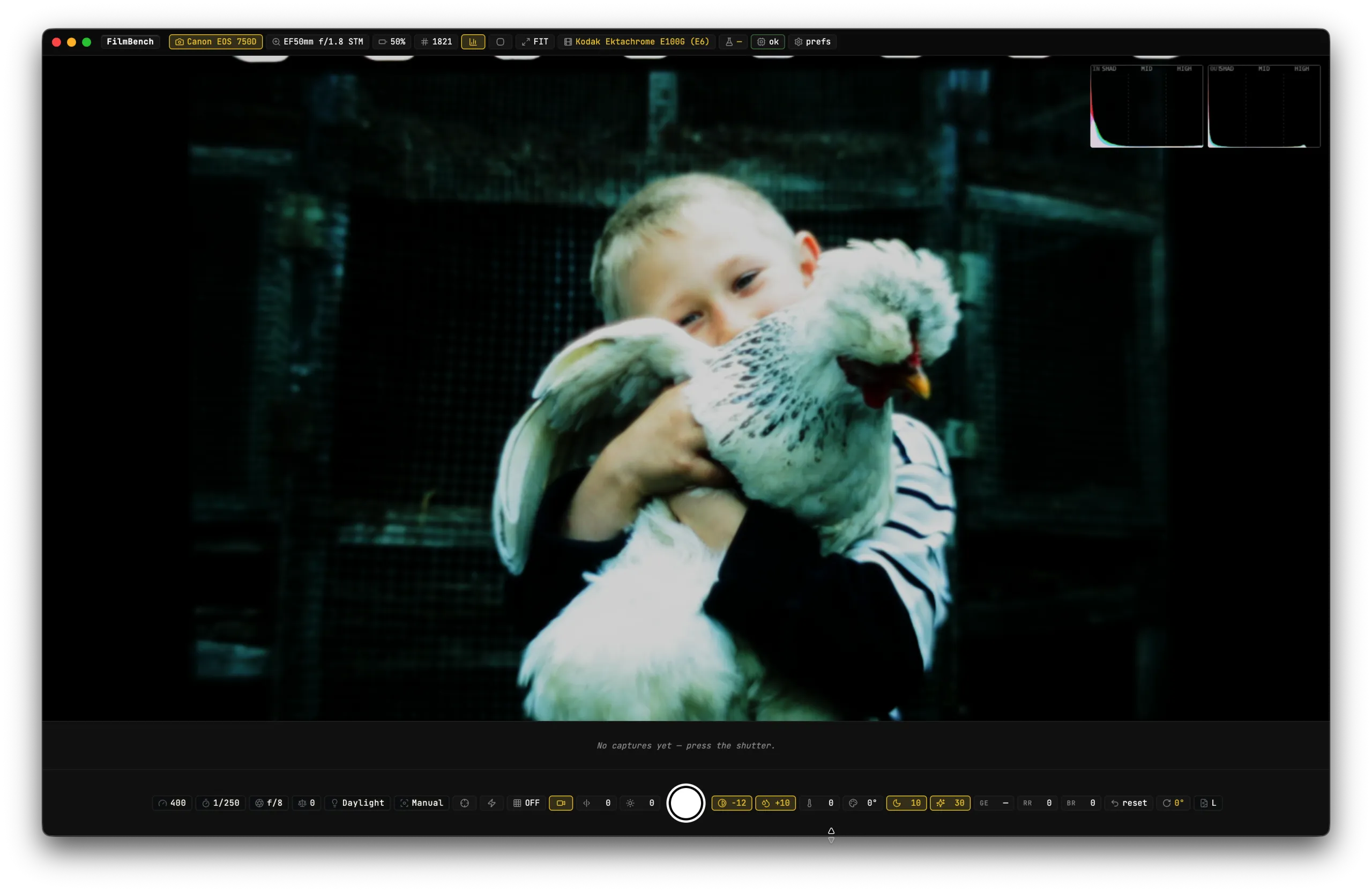
Aim at a negative and the finished photograph develops on screen as you watch: colours true, the orange mask lifted, nothing to scan and no waiting around.

Point your camera at a negative and watch the finished photo appear: colours true, the orange mask gone, developed live. The darkroom feeling, on your Mac.
macOS · tethered capture · processes locally
For the love of film
No scanning and waiting. No bouncing into another app to invert and fix it afterwards. Just your film, the way it was meant to look.
01
Aim at a negative and the finished photograph develops on screen as you watch: colours true, the orange mask lifted, nothing to scan and no waiting around.
02
See the negative going in and the finished positive coming out, side by side, with dual histograms so every frame is well exposed.
03
Focus peaking, a composition grid and clipping warnings keep every shot crisp. A satisfying shutter saves your photo the instant you press it.
04
Nudge exposure, contrast and white balance and watch the positive shift in real time. The look is yours, dialed in while you shoot.
05
Move down the roll frame by frame without breaking rhythm. Each one develops, saves and you're on to the next in seconds.
Works with your gear
No special hardware. Tether what you already shoot with and start developing.
Hundreds supported
Any camera libgphoto2 drives over USB. If yours shoots tethered, it most likely just works.
C-41 · E-6 · B&W
Colour negative, slide and black & white, detected from the negative automatically.
RAW · TIFF · JPEG
Save the format you want, full EXIF metadata written the instant you capture.
100% local
Everything runs on your Mac. No cloud, no account, nothing ever leaves your machine.
Why FilmBench
A note from the maker
Hi, I'm Bogdan. I built FilmBench because I shoot film and grew tired of the scan-invert-tweak-repeat shuffle. I wanted to see the photograph while the negative was still in front of me: that little bit of darkroom magic, watching the image appear.
FilmBench is that feeling, made digital. I hope it brings some of the joy of film back to your desk. Now go shoot something beautiful.
Bogdan